Our first experience with Azure China



Credit: Ashley Willis, CC BY-NC-SA 4.0
Who are we?


Vincenzo Scalzi
DevOps Architect
Jean Villette
Cloud Architect
Why do we want to talk about this?
- There are partitions other than "Azure global"
- What Are They For? Do They Do Things?? Let's Find Out!
- Not enough public information
- Never assume YAGNI
- Novelty/Fun aspect
- Sovereign Cloud

Sources:
- Wikipedia / Flag of China
- Rio 2016 officials apologize to China for using wrong flag, CNN, Aug. 8th 2016
Before we began…
Azure China is like Azure, but worse!
Why not Huawei or Alibaba Cloud?
You must go through a lengthy sign up process
Microsoft does not support these regions
It's expensive for what you get!
Features are months behind Public Cloud
VPN connections drop all the time!
Got it, you made your
concerns abundantly clear…
Key learning
Although signing up for Azure China requires preparation,
using it is similar to Azure.
You know everything you need to know, time for pizza?
What is Azure China?

由世纪互联运营*
* operated by 21Vianet
Azure China is a
Sovereign Cloud
A Cloud vendor provides IT services ranging from renting managed hardware (IaaS) to business apps (SaaS). They are responsible the logistical and operational aspects, removing these hurdles from their customers.
Colocation
In-house
White glove
IaaS
PaaS
Low-code
SaaS
AI services
Azure China is a
Sovereign Cloud
A Sovereign Cloud is an offering where the provider's legal and technical framework ensures compliance with the laws and regulations of the geographical region in which it operates.
This provides control over data residency and a high level of protection of sensitive information from foreign adversaries.
About
the
Project

The need
Retail industry
Existing locations, worldwide
The need

Sales
Customer Care
Databases
Business Intelligence
Website
global
The need
Store (excl. China)
Web services
The need
X
Store (China)
global
CSL, DSL
PIPL (≈GDPR)
The need
Store (China)
global
China*
* operated by 21Vianet
Anonymized data
Entra one-way sync
Operations
The need
global
China*
* operated by 21Vianet


GREENFIELD!!
How do we "start" an Azure China* tenant?
* operated by 21Vianet
Administrative Aspects

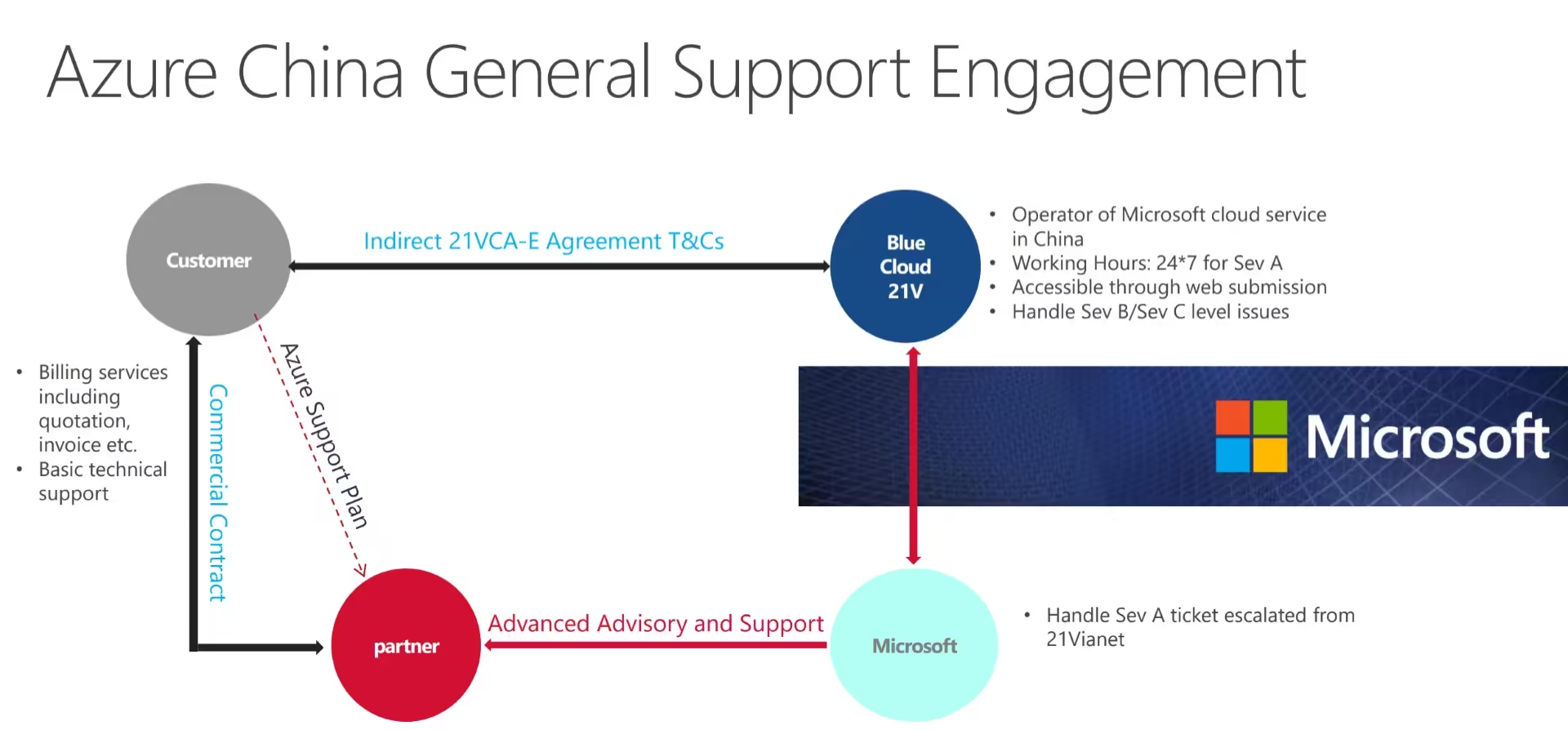
- Business License
- Billing Owner, Information Security Officer
- Cloud costs estimate for the first three months
- 21VCA-E Quote Info sheet
- Customer Agreement Terms and Conditions
- Waiting for an agreement between the Azure reseller and 21Vianet
- Creating the Azure China Tenant
Preparation
21Vianet Customer Agreement - Enterprise
FULLY READ THIS!!
≈ 5 to 10 days
Company registration
Choose a reseller:
https://www.21vbluecloud.com/partner-support/list-of-partner-qualifications/
- Legal entity in mainland China
- Hold a valid ICP license
- Or filing in specific cases
- Designate an Information Security officer and a Billing owner
- Can be the same person
- Must be of Chinese citizenship
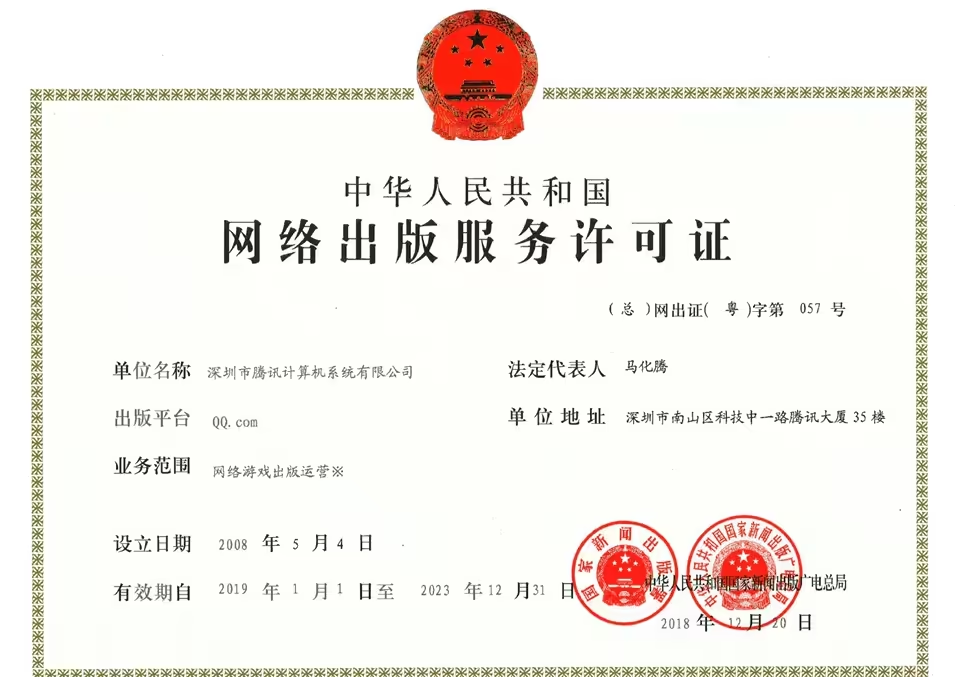
qq.com
Creating the Tenant
- Your reseller will send you documentation to create an Entra Organization
- Once you're greenlit for Azure China, follow those instructions
- Cost Management and Billing > IAM > Add Role Assignment for your Cloud administrators
- Manually create your Management Groups and Subscriptions
- Manually create Service Principals, assign them the right permissions for your Infrastructure as Code
- Provision the actual services from Infrastructure as Code
- If you're using an Active Directory or Entra ID as your directory source of truth, sync it to Azure China
- Set up your applications
Mind the following (1/2)
- Know your target Cloud architecture as early as possible
- Not all services and configurations are available
- If Cloud cost estimates
are hard, you haven't tried Azure China
- Three pricing sources: Calculator, Pricing page, Pricing "API"
- The "three-month estimate“ is a commitment!!
- Under-commit! Rule of thumb: give a two-month estimate.
Mind the following (2/2)
- Check your Windows Server, SQL Server license contracts with
your legal team!
- Software Assurance is regionalized and may not apply to China
- This can have an outsized impact on your Cloud cost estimates; Azure Hybrid Benefit
- Read the Terms and Conditions with your legal team!!
- Initializing an Azure Tenant is hard. You don't do it often enough.
- Different URLs, API endpoints, etc.
- DNS if using custom AD / Entra as the source of truth
First
Steps

Where
do
we
begin?!

Network, IAM
Organizational
Separation of Concerns
Landing Zone
Workloads?
Cloud Architecture
Get Tenant
Start building!
Prerequisites
- No prior LZ experience
- Fully manual
- Fully Portal-based
- Interest in Infrastructure as Code
- Microsoft Entra
- 2 stages, can't see each other
- Desire to add more stages
- VPNs
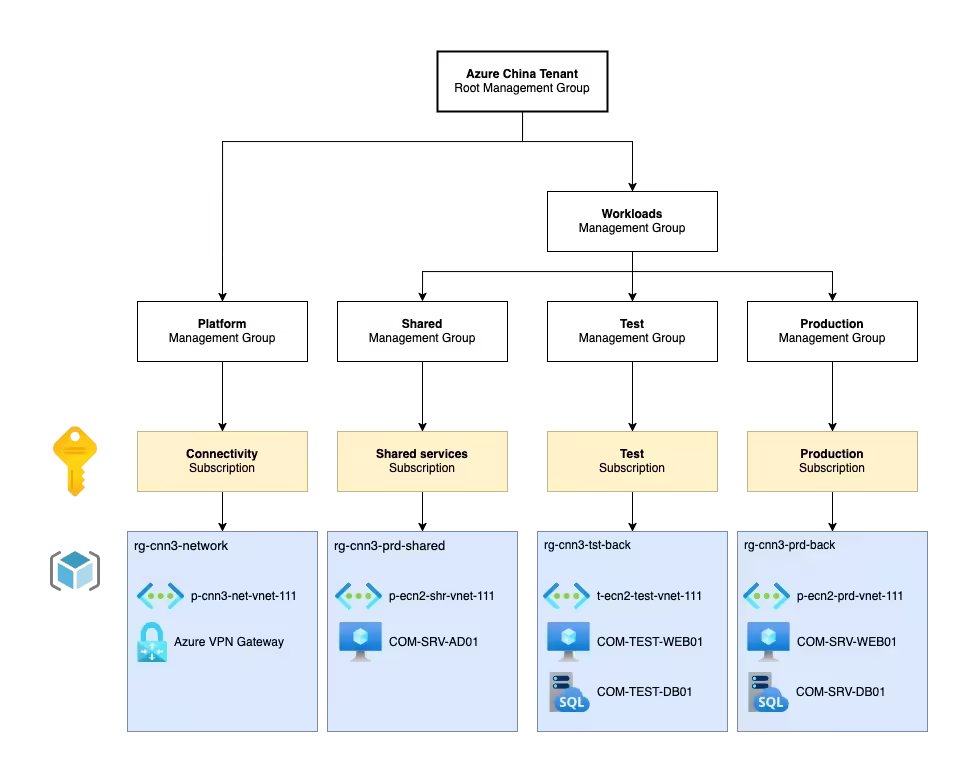
Azure Tenant breakdown
Stage 1
Root
Management Group
Platform
Workloads
Connectivity
Stage 2
Shared
Stage 1
Stage 2
Shared
Networking
Point of Sale
Azure Global
On-Premise
Hub
Shared
Stage
Stage
X
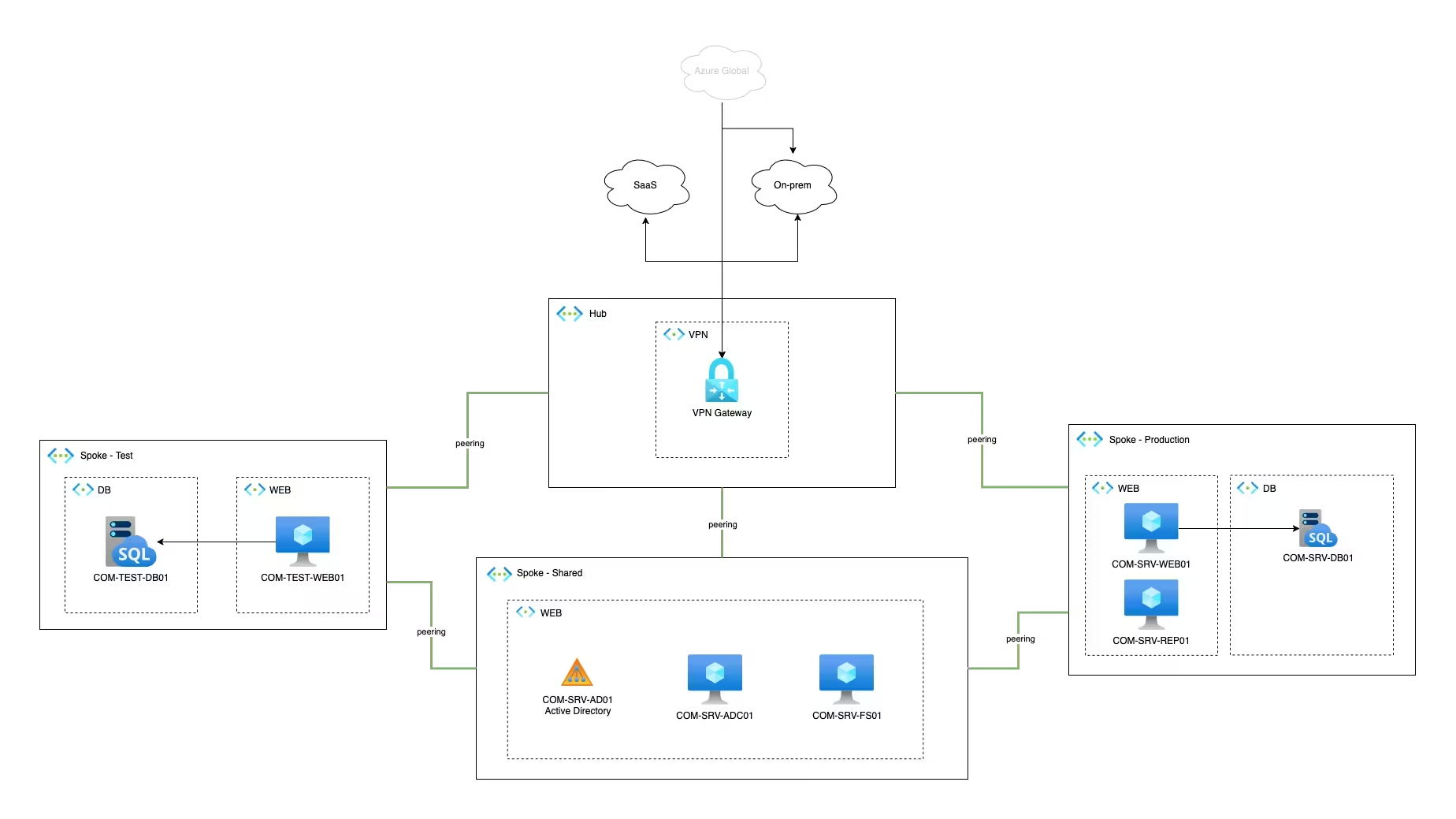

HOLD ON NOW! We got ahead of ourselves! We don't need to go into so many details. We only need architecture to plan for infrastructure costs. This title is getting too long, let me navigate to the next slide…
Any minute.
Analyzing costs: Option 1

Source: Azure.cn Pricing Calculator
Analyzing costs: Option 1

😱😱😱
Source: Azure.cn Pricing Calculator
Analyzing costs: Option 2

Source: Retail Prices API
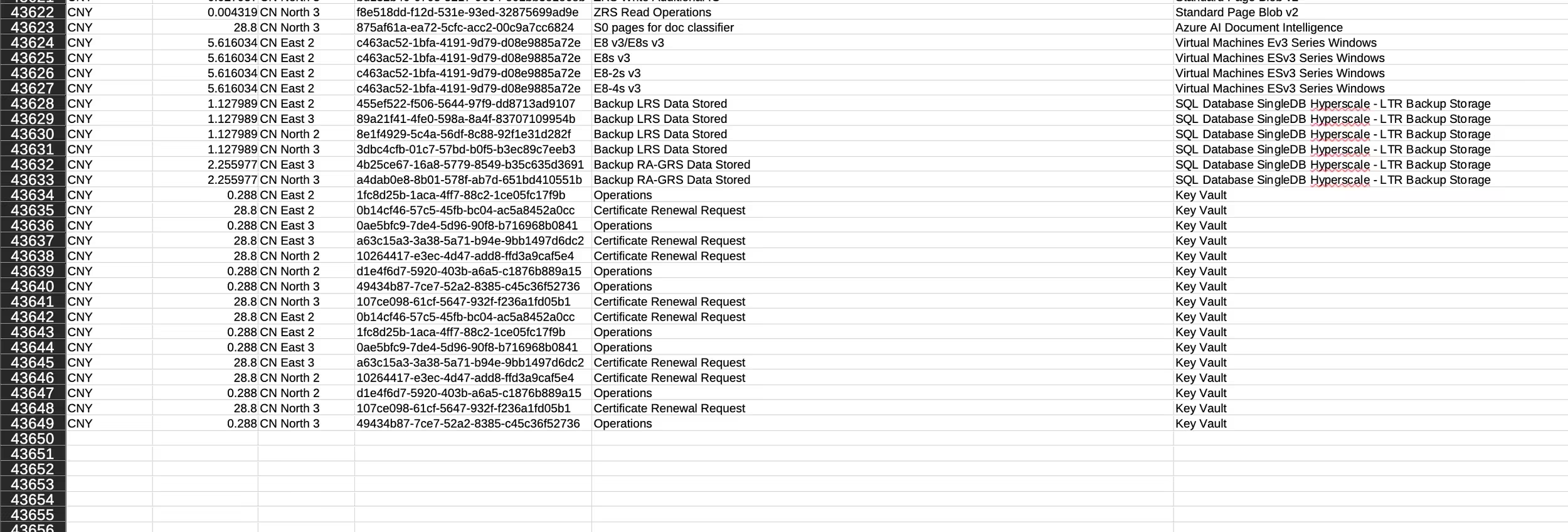
46,348 records as of Jan 25th
Analyzing costs: Option 3
Good old spreadsheets!


Pricing data
Options 1 & 2
Sidenote:
Our estimate was 19% higher than actual
Why?
- Our initial region was at capacity for the planned services
- The Calculator was out of date
- We opted for newer generation VMs if they were less expensive
From here on out, you'll be sending emails and waiting.
...
...
Need advice?
Formal tone, utmost respect and politeness. Be clear and precise. Wait, isn't that my LLM system prompt, too?!
Integrati n
&
Delivery

Our way of thinking
| One-time setup, never to be touched again | To be replicated or maintained |
|---|---|
| Management Groups, Subscriptions, VPN config | VNets, VMs, VPN Gateway, Managed Instances |
| Manual | Infrastructure as Code |


Azure DevOps

az cloud set --name AzureChinaCloudprovider "azurerm" {
environment = "china"
features {}
}Connect-AzAccount -Environment AzureChinaCloudSetting up the tooling
Shell
Powershell
Terraform / OpenTofu
The need
Store (China)
global
China*
* operated by 21Vianet
Anonymized data
Entra one-way sync
Operations
STOP
There's really nothing to it:
- Proceed identically to Azure Global
- Slight differences wrt. services
- More notable:
- China Express: Free between N1 ↔ N2 and E1 ↔ E2
- Entra Sync? You'll need an AD Connect deployment
Thank youuu!